
Hiddify Download & Setup Guide
Hiddify is an open-source proxy client for every major platform, built on the sing-box core. It reads Clash / Mihomo, sing-box, and V2Ray subscriptions directly, keeps the interface simple, and connects in one tap. It's a good choice if you don't want to deal with many settings.
| Platforms | Core | License | Price |
|---|---|---|---|
| Windows · macOS · Linux · Android · iOS | sing-box | GPL-3.0 | Free |
Download
The desktop and Android versions are published on the official GitHub releases page, and the iOS version is on the App Store. On GitHub, pick the right file from the Assets list of the latest release:
| Device | File name | Notes |
|---|---|---|
| Windows PC | Hiddify-Windows-Setup-x64.exe | Installer; Portable-x64.zip is the portable version |
| Mac | Hiddify-MacOS.dmg | Works on Apple silicon and Intel |
| Linux | Hiddify-Linux-x64.AppImage | Debian-x64.deb and rpm-x64.rpm are also available |
| Android phone | Hiddify-Android-universal.apk | Universal build; pick this if you're unsure |
Install
Setup-x64.exe and follow the installer. If you see "Windows protected your PC", click More info → Run anyway..dmg and drag Hiddify into Applications. If macOS blocks it on first launch, go to System Settings → Privacy & Security and click Open Anyway.chmod +x Hiddify-Linux-x64.AppImage
./Hiddify-Linux-x64.AppImage
.apk and allow installs from unknown sources when prompted. See Hiddify Android for the full Android guide.Setup
Copy your subscription link
Hiddify is only a client and does not include any servers. Sign in to your provider's dashboard and copy your subscription link.
Add from clipboard
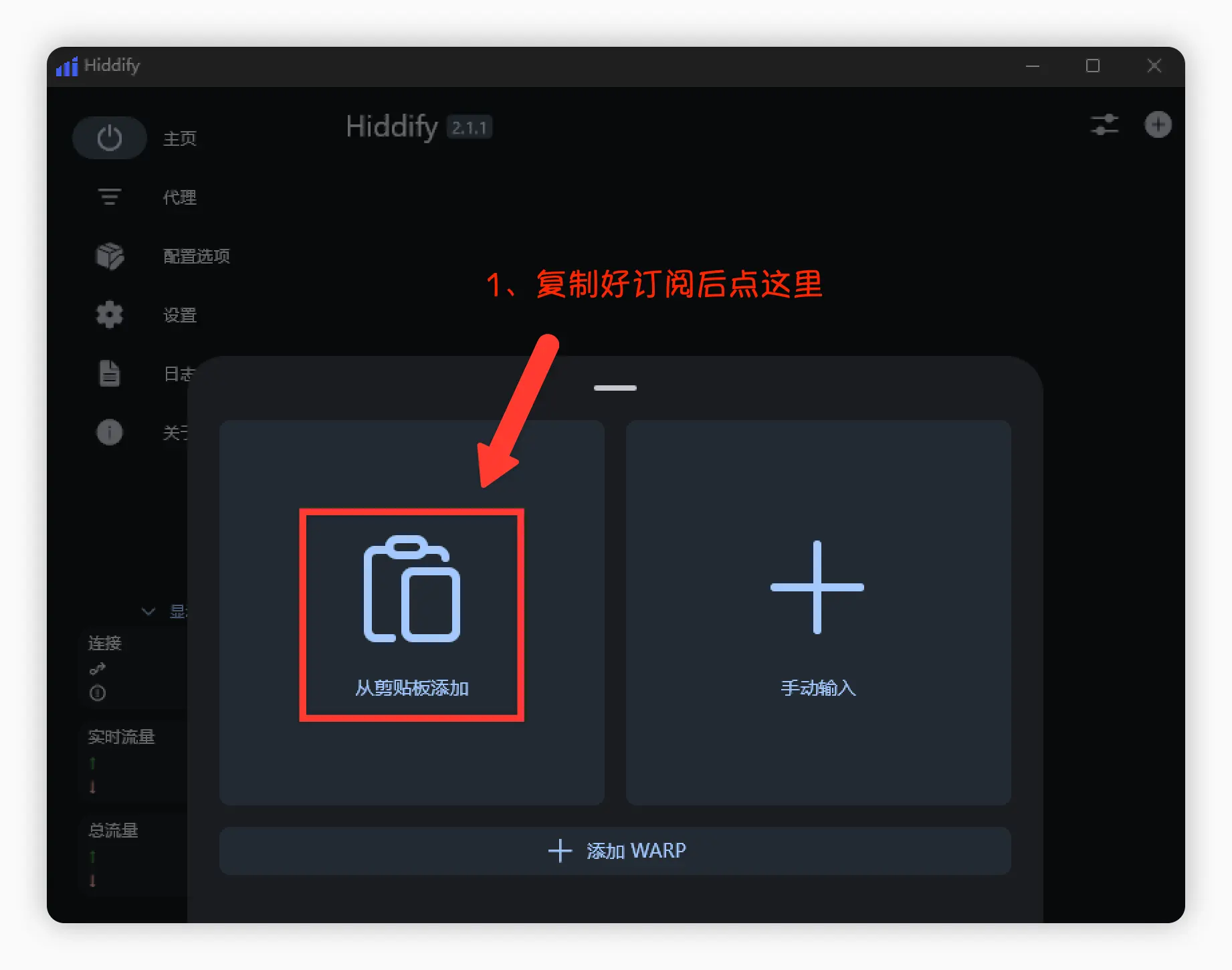
Open Hiddify, click New Profile, and choose Add from clipboard. Hiddify reads the link you just copied.
Turn on auto-update
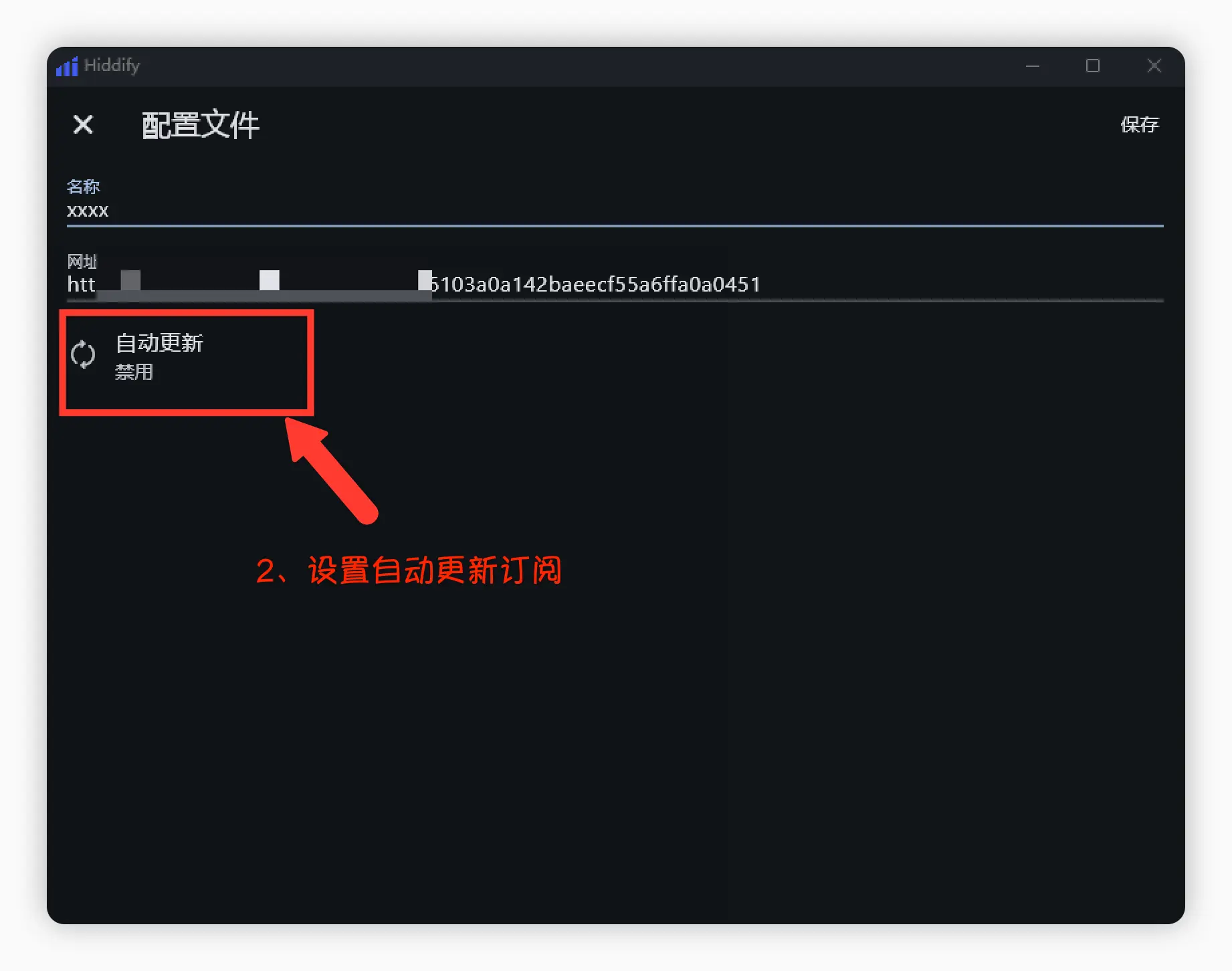
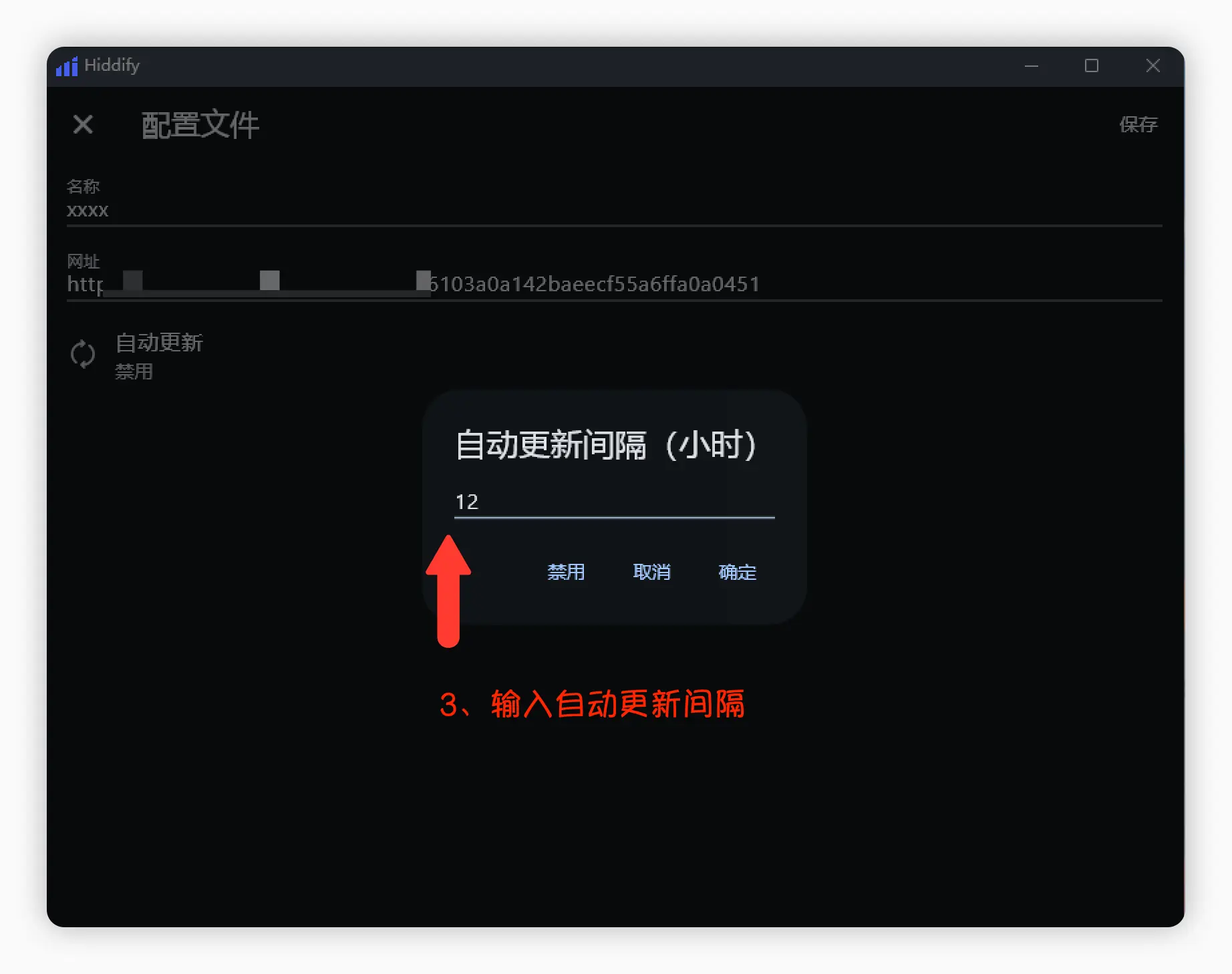
Open the profile details, click Auto update, enter an interval (for example, 12 hours), confirm, and click Save in the top-right corner. Server changes will now sync automatically.
Connect
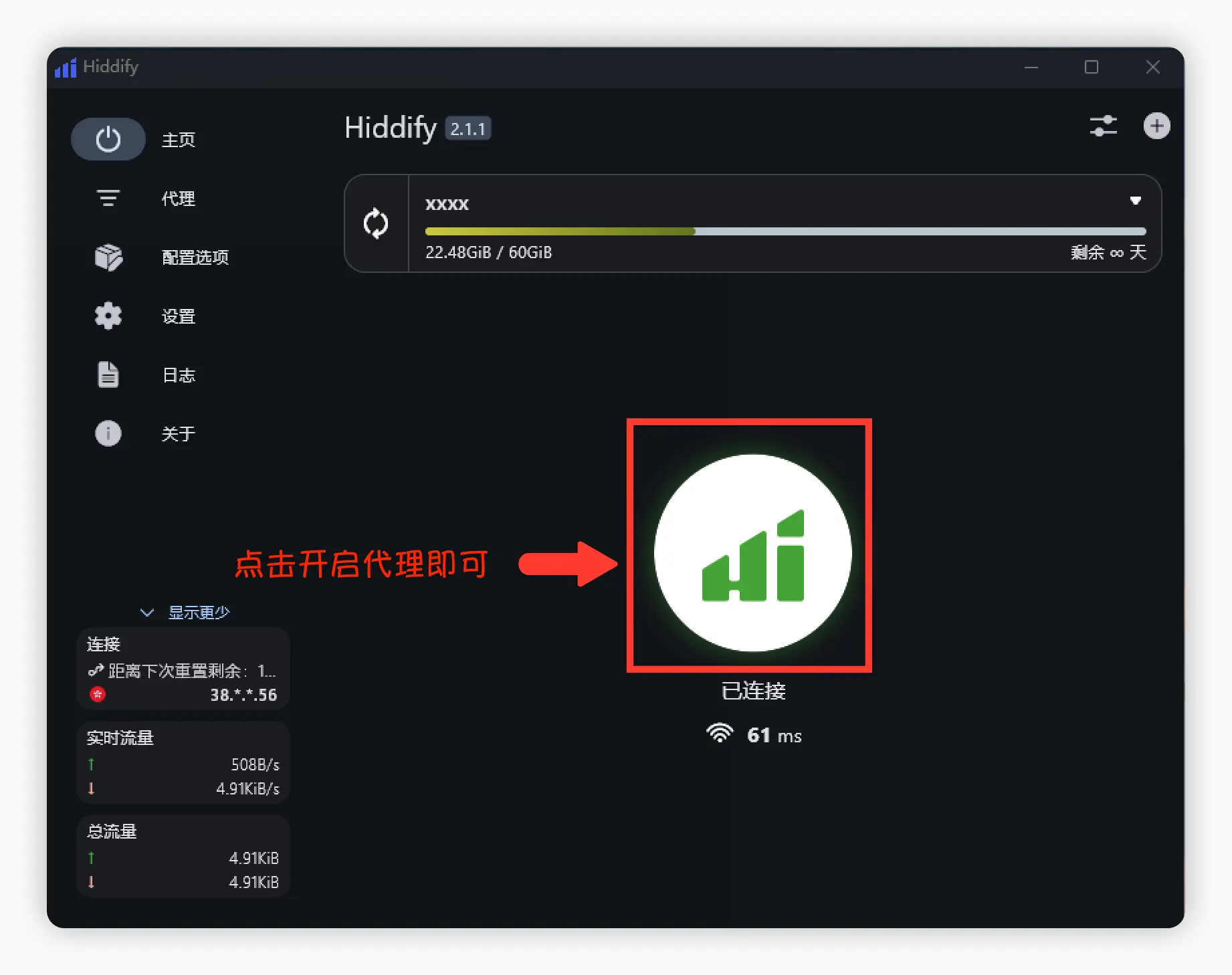
Go back to the home screen and click the large button in the middle. When it shows "Connected" with a latency value, you're done. To switch servers, open Proxies in the sidebar.
Advanced settings
Service mode and TUN
By default, Hiddify works as a system proxy. If games or command-line tools don't go through the proxy, open Config Options and set Service Mode to VPN. This works like TUN mode and captures all traffic. VPN mode may need administrator rights on a computer.
Config Options also include IPv6 and DNS settings. If you're not sure what they do, keep the defaults. For background, see Advanced Settings.
FAQ
https://. You can also choose Manual entry and paste the link.