ClashX: Usage Guide & Alternatives
ClashX is a Clash client that lives in the macOS menu bar and was known for being light and native. In November 2023, its developer deleted the official repository. Both ClashX and the paid ClashX Pro are no longer updated.
| Item | Status |
|---|---|
| Platform | macOS |
| Source | ClashX was open source and ClashX Pro was closed source; both repositories were deleted |
| Modern protocols | No VLESS, Hysteria2, etc. |
| Recommended replacement | Clash Verge Rev (Apple silicon and Intel) |
Migrate to Clash Verge Rev
Install Clash Verge Rev
Follow the Clash Verge Rev guide to download the Mac version: aarch64.dmg for Apple silicon, x64.dmg for Intel.
Quit ClashX
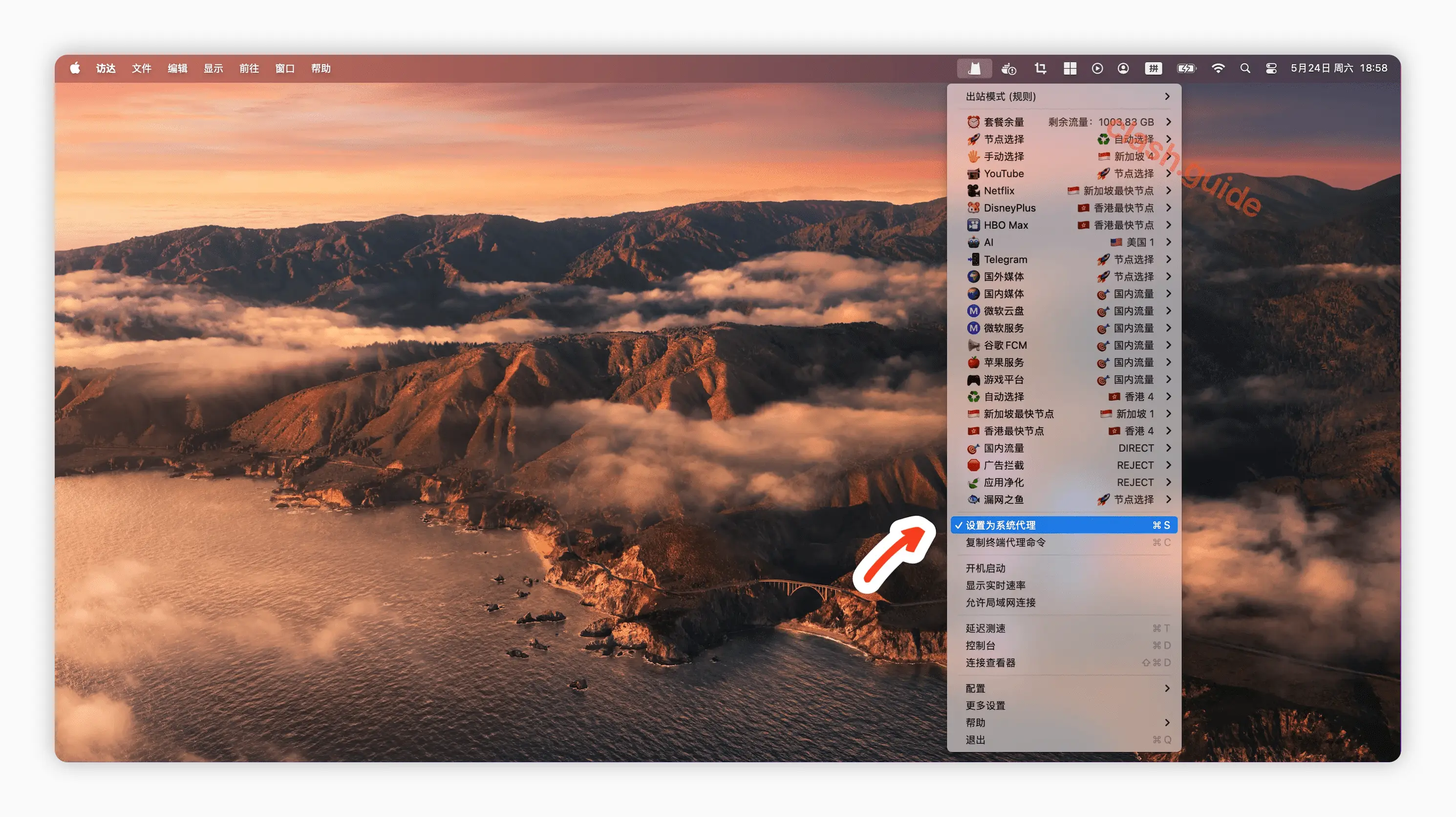
Click the ClashX icon in the menu bar, uncheck Set as system proxy, and choose Quit.
Import the same subscription
A subscription link works in any Clash client. Paste your existing link into Profiles in Clash Verge Rev, import it, and turn on the system proxy.
For existing users
If you're still using an installed copy of ClashX for now, here are the basics.
Add a remote config
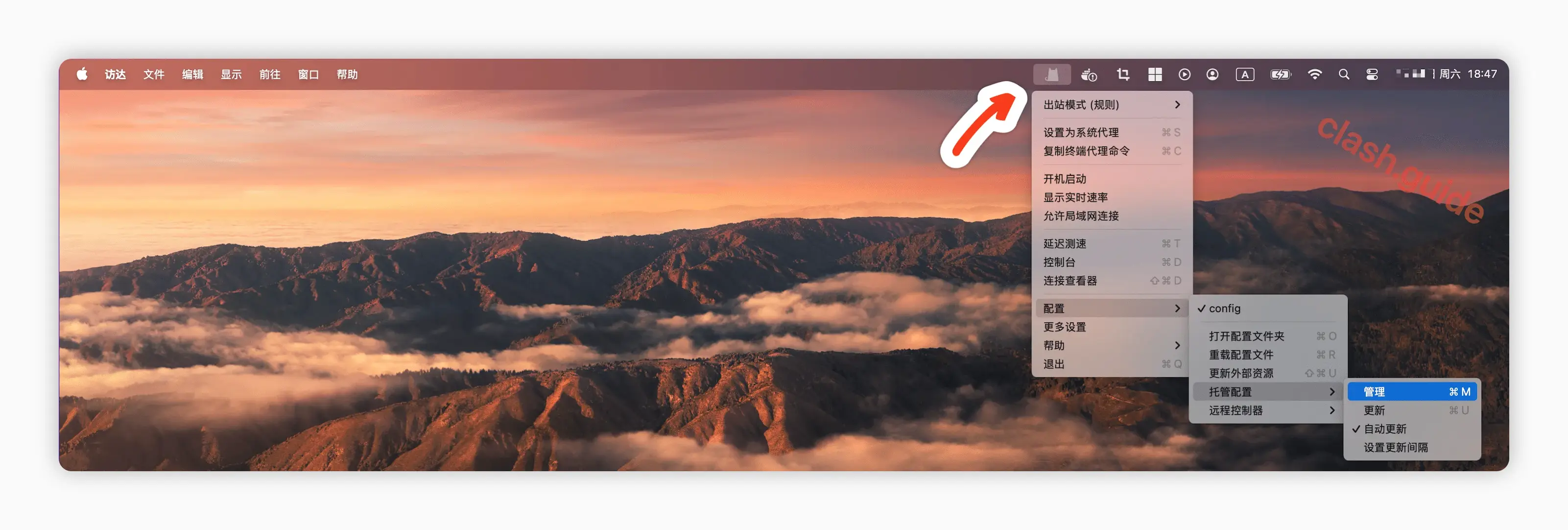
Click the ClashX icon in the menu bar and choose Config → Remote config → Manage.
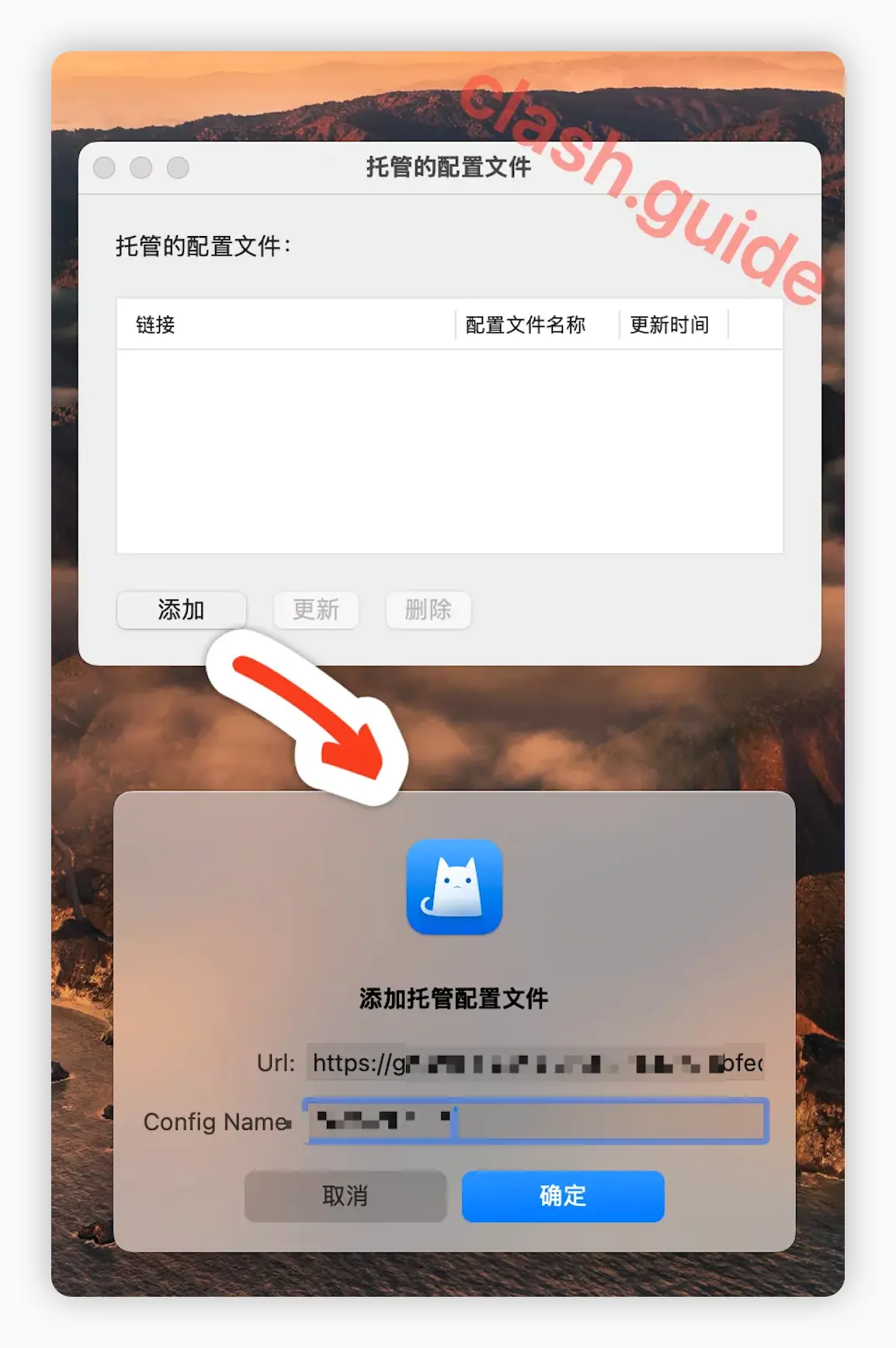
In the window that opens, click Add, enter the subscription link (Url) and a name (Config Name), and click OK.
Set as system proxy
Click the menu bar icon again, make sure the config you just added is selected, and check Set as system proxy.